
FROM UX TO UI
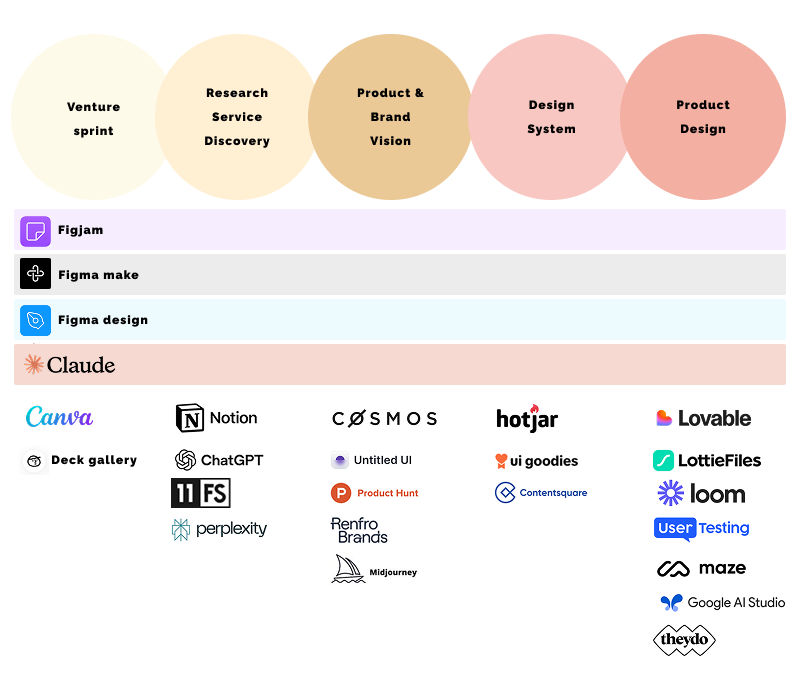
With a fluid, lean approach to design, I practice Lean UX in an Agile development environment that includes AI at every step of my process.
This naturally encourages rapid, interactive UX phases, which place a heavy focus on refinement, user input, and team collaboration. Project managers, designers, and developers work alongside me throughout the entire process to implement stakeholder, business and user goals. My process is quick, efficient, accurate, precise, and adaptive. It is custom-tailored to each project, allowing it to yield high quality UX in any circumstance.
Below I highlight some of the main processes I go through in a project development lifecycle.
RESEARCH
Stakeholder Interviews
The first step is to understand the business needs and technological parameters, and the best way to do this is to ask the relevant stakeholders. Both the questions asked and the notes taken during these sessions will determine how close to the mark the final product hits. I ask to record these sessions so I can revisit them at any stage. I aim to find out what’s working well and what isn’t, what the blockers are, who the personas are, what the scenarios involve, what steps users currently take to complete their tasks, and what the business goals are, including any metrics used to measure success. This helps create a hypothesis, which I have a skill for.
User Interviews
User interviews are invaluable for understanding the people the product is designed for, which is the cornerstone of the design process. Other options for collecting initial user data include field studies and diary studies. I like being able to take all my notes and organise them into themes, with a prioritised list of potential solutions.
Competitive Audits
I examine the strengths and weaknesses of competitors using an overlaid heuristics diagram. This involves evaluating areas such as ease of form completion, clarity of navigation, accessibility and trust factors. MCP is a great way to create ideas using my current designs and suggest directions I might not have considered initially. Sometimes, I use it within AI to see what it makes of competitors' designs.
ANALYSIS
User Personas
Once sufficient user data has been collected, user personas are created. These act as stand-ins for actual users during the design process, focusing more on behaviours than demographics.
User Scenarios
These exercises take personas a step further by outlining how a persona would act in a specific situation, including which actions they take and why.
Journey Maps
Journey maps are a comprehensive way for understanding users, bringing together personas and user scenarios at each stage of the experience. User emotions, quality of experience, product weaknesses and other factors can all be documented. They also cover customer touchpoints before, during and after a service, allowing you to gauge the lasting impact of the design.
Red Route Analysis
Red Route Analysis identifies any obstacles users may face when trying to complete the core tasks of a website or application. By identifying the main paths users take through a website, I can ensure that potential obstacles along those paths are identified and addressed.
DESIGN
Site Maps
Site maps outline the information architecture, showing how pages are connected to one another. They are an essential stage in organising the site structure.
User Flows
Once sufficient user research has been completed, user flows can be developed to show how pages within a design correspond to user actions. These provide a quick AI visual shorthand for evaluating friction at each step, improving design efficiency and minimising unnecessary steps wherever possible.
prototyping
Quick prototypes can be created and put into AI software to explore an end-to-end experience. Alternatively, I can create a polished design first, usually evolving the design system tokens or creating them if it doesn’t. In some cases, I can also use AI to add micro-interaction animations to my designs.
TESTING
test plans
Test plans outline testing goals and procedural details, such as the location and time, as well as the specific questions or tasks involved. These are particularly useful for helping stakeholders understand what is being tested and why.
User tasks
User tasks describe the exact activities participants are asked to perform. They should be specific, avoid jargon and not provide too much detail about the steps needed to complete each task.
test script
When moderating a test, I use a script to ensure consistency.
data reports
Once the testing results have been received, the data is presented clearly and comprehensively for colleagues across different departments who may not have the same specialist knowledge. How the data is presented is crucial to ensuring that everyone interprets the findings correctly.
